
How to find which switch port a device is connected to
You have a MAC or an IP address and a rack of switches. The switch keeps the answer in its forwarding table, and you can read it with two SNMP lookups.
Updated · Vladimir Chemeris, the developer of SNMP Inspector
1. Get the MAC address
Take it from the label on the device, from arp -a on a computer in the same subnet, or from the router’s ARP table over SNMP. The output in this guide comes from an example network, so your addresses, numbers and interface names will differ:
snmpwalk -v2c -c public 192.0.2.1 1.3.6.1.2.1.4.22.1.2
IP-MIB::ipNetToMediaPhysAddress.2.192.0.2.57 = STRING: 0:1b:44:11:3a:b7
The number after the column name is the router’s interface index, then the IP address.
2. Turn the MAC into an OID index
The forwarding table uses the six bytes of the MAC in decimal as its row index. 00:1B:44:11:3A:B7 becomes 0.27.68.17.58.183.
3. Read the bridge port
snmpget -v2c -c public 192.0.2.10 1.3.6.1.2.1.17.4.3.1.2.0.27.68.17.58.183
BRIDGE-MIB::dot1dTpFdbPort.'..D.:.' = INTEGER: 7
On a VLAN-aware switch the row may live in dot1qTpFdbTable, indexed by the filtering database ID and then the MAC. Walk the column and filter by the MAC index:
snmpwalk -v2c -On -c public 192.0.2.10 1.3.6.1.2.1.17.7.1.2.2.1.2 | grep '\.0\.27\.68\.17\.58\.183 '4. Map the bridge port to an interface name
The bridge port number isn’t always the interface index. dot1dBasePortIfIndex maps one to the other, and ifName names the interface:
snmpget -v2c -c public 192.0.2.10 1.3.6.1.2.1.17.1.4.1.2.7
BRIDGE-MIB::dot1dBasePortIfIndex.7 = INTEGER: 1007
snmpget -v2c -c public 192.0.2.10 1.3.6.1.2.1.31.1.1.1.1.1007
IF-MIB::ifName.1007 = STRING: ge-0/0/7
The MAC shows up on several ports
Each switch on the path learns the MAC on its uplink, so you see it on trunk ports too. The access port is the one with few MACs behind it and no switch as its LLDP neighbor. Follow the uplink to the next switch and repeat the lookup there.
The same lookup in SNMP Inspector
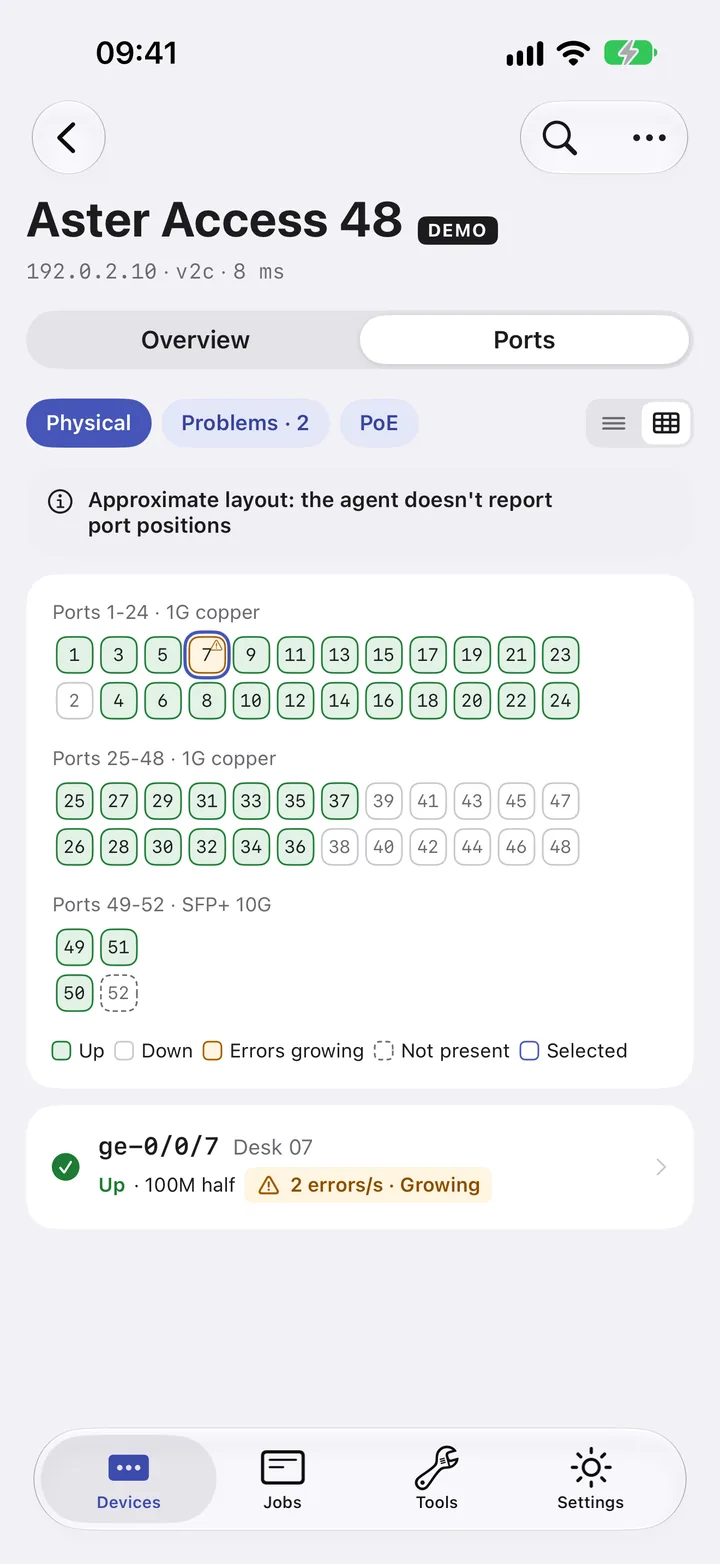
Type the MAC or the IP address in Find MAC/IP on your iPhone or iPad. SNMP Inspector reads the ARP and forwarding tables, maps the bridge port to the interface and opens the port card with its link state, errors per second and LLDP neighbor. On the faceplate, the app highlights the port in the grid.
Questions
Why does dot1dTpFdbTable come back empty?
VLAN-aware switches often keep MAC addresses in dot1qTpFdbTable instead. Cisco IOS serves BRIDGE-MIB per VLAN: add the VLAN to the community, such as public@10, or use the SNMPv3 context vlan-10.
Can I find the port from the IP address alone?
Yes, in two lookups. The router's ARP table gives the MAC for the IP address, and the switch forwarding table gives the port for the MAC.
Does this work over SNMPv3?
Yes. Replace -v2c -c public with your SNMPv3 user, level and keys, for example -v3 -l authPriv -u monitor -a SHA-256 -A … -x AES -X ….